
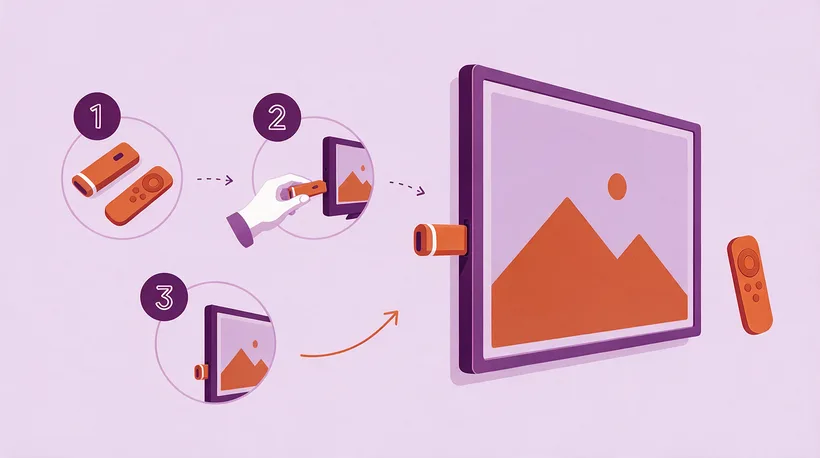
Quick Overview
- ✅ Setup takes less than 10 minutes
- ✅ No technical knowledge required
- ✅ Works on all Firestick models
- ✅ Multiple IPTV apps available
- ✅ 24/7 support if you get stuck
Introduction
The Amazon Firestick is the most popular device for IPTV streaming in the UK, and for good reason. It's affordable, powerful, and incredibly easy to set up. This guide will walk you through setting up your IPTV free trial on Firestick, from start to finish.
Whether you're using a Firestick Lite, 4K, or 4K Max, this guide covers everything you need to know. Let's get your IPTV free trial up and running!
Prerequisites
Before we begin, ensure you have:
1. Amazon Firestick - Any model works
2. Internet connection - Minimum 25 Mbps recommended
3. IPTV free trial credentials - Get yours here
4. Amazon account - Required for app downloads
Step 1: Prepare Your Firestick
Enable Developer Options
First, we need to enable installation of third-party apps:
1. Navigate to Settings (gear icon)
2. Select My Fire TV
3. Choose Developer Options
4. Enable Apps from Unknown Sources
5. Confirm when prompted
Note: On newer Firesticks, you may need to enable this per-app instead of globally.
Check Your Firestick Model
Different models have different capabilities:
| Model | Resolution | Best For |
|-------|------------|----------|
| Firestick Lite | 1080p | Budget option |
| Firestick 4K | 4K HDR | Most users |
| Firestick 4K Max | 4K HDR | Power users |
| Fire TV Cube | 4K HDR | Hands-free control |
Step 2: Install the Downloader App
The Downloader app is essential for installing IPTV applications:
1. Go to the Home Screen
2. Select Find > Search
3. Type "Downloader"
4. Select the Downloader app (orange icon)
5. Click Download or Get
6. Wait for installation to complete
Step 3: Choose Your IPTV App
Several excellent IPTV apps work with your free trial. Here's a comparison:
| App Name | Best For | Difficulty | Interface |
|----------|----------|------------|-----------|
| IPTV Smarters Pro | Beginners | Easy | Modern |
| TiviMate | Advanced users | Medium | Premium |
| OTT Navigator | Customisation | Medium | Flexible |
| XCIPTV | Simple use | Easy | Basic |
Our Recommendation
For your IPTV free trial, we recommend IPTV Smarters Pro for beginners and TiviMate for advanced users.
Step 4: Install IPTV Smarters Pro
Method 1: Using Downloader
1. Open the Downloader app
2. In the URL field, enter: `bit.ly/iptvsmarters`
3. Click Go
4. Wait for the APK to download
5. When prompted, click Install
6. After installation, click Done
Method 2: Direct from Amazon Store
IPTV Smarters is also available in the Amazon App Store:
1. Search for "IPTV Smarters"
2. Download and install directly
3. No Downloader needed
Step 5: Configure IPTV Smarters
Now let's set up the app with your IPTV free trial credentials:
Login Process
1. Open IPTV Smarters Pro
2. Accept the terms and conditions
3. Select Add User or the + icon
4. Choose Login with Xtream Codes API
Enter Your Credentials
You'll need to enter:
- Any Name: e.g., "IPTV Main Trial"
- Username: (from your trial email)
- Password: (from your trial email)
- URL: (from your trial email)
Complete Setup
1. Click Add User
2. Wait for the app to load channels
3. You're ready to watch!
Step 6: Navigate the App
Main Sections
Once logged in, you'll see these categories:
- Live TV - All live channels organised by category
- Movies - VOD movie library
- Series - TV shows and series
- Catch Up - Missed programmes (if available)
Finding UK Channels
1. Go to Live TV
2. Look for categories like:
- UK Entertainment
- UK Sports
- UK News
- UK Kids
Optimising Your Streaming Experience
Adjust Video Settings
For the best quality during your IPTV free trial:
1. Open app Settings
2. Navigate to Player Settings
3. Set Default Player to Hardware
4. Enable Auto-adjust quality
Network Optimisation
| Setting | Recommendation |
|---------|----------------|
| Connection | Wired Ethernet preferred |
| WiFi Band | 5GHz (faster, less interference) |
| DNS | Google DNS (8.8.8.8) |
| VPN | Optional but recommended |
Troubleshooting Common Issues
App Won't Install
Solution:
- Ensure "Apps from Unknown Sources" is enabled
- Clear Downloader app cache
- Restart your Firestick
- Try a different download link
Login Failed
Solution:
- Double-check your credentials
- Ensure no extra spaces in username/password
- Verify your trial hasn't expired
- Contact support for help
Channels Not Loading
Solution:
- Check your internet connection
- Restart the app
- Clear app cache and data
- Try a different IPTV app
Buffering Issues
Solution:
- Use wired ethernet if possible
- Close background apps
- Reduce stream quality in settings
- Check for network congestion
Alternative IPTV Apps for Firestick
If IPTV Smarters doesn't suit you, try these alternatives:
TiviMate
Best for users who want a premium experience:
1. Download from Amazon App Store
2. Premium features require one-time purchase
3. Excellent EPG integration
4. Beautiful interface
OTT Navigator
Great for customisation enthusiasts:
1. Highly customisable interface
2. Multiple layout options
3. Advanced filtering
4. Free with optional premium
Making the Most of Your Trial
During your 24-hour IPTV free trial, we recommend:
1. Test peak hours - Stream during evening when networks are busy
2. Try different channels - Check your favourite categories
3. Test on WiFi and Ethernet - Compare performance
4. Explore the VOD library - Check movie and series selection
5. Contact support - Test response times
Frequently Asked Questions
Will this work on my old Firestick?
Yes! This guide works on all Firestick models, including the original 1st generation.
Do I need a VPN?
A VPN is optional but recommended for privacy. Most IPTV services work fine without one.
Can I use multiple devices during the trial?
The trial typically works on one device. To test multiple devices, check our multi-connection plans.
What happens after the trial?
Your access expires after 24 hours. No automatic charges—you choose if you want to subscribe.
Conclusion
Setting up your IPTV free trial on Firestick is quick and easy. Within 10 minutes, you can be streaming thousands of channels in stunning quality. Remember, the trial gives you full access to test everything before committing.
Haven't started your trial yet? Get your free IPTV trial now and follow this guide to get set up.
Need help? Our support team is available 24/7, even during your trial period. You can also check our troubleshooting guide for quick fixes.